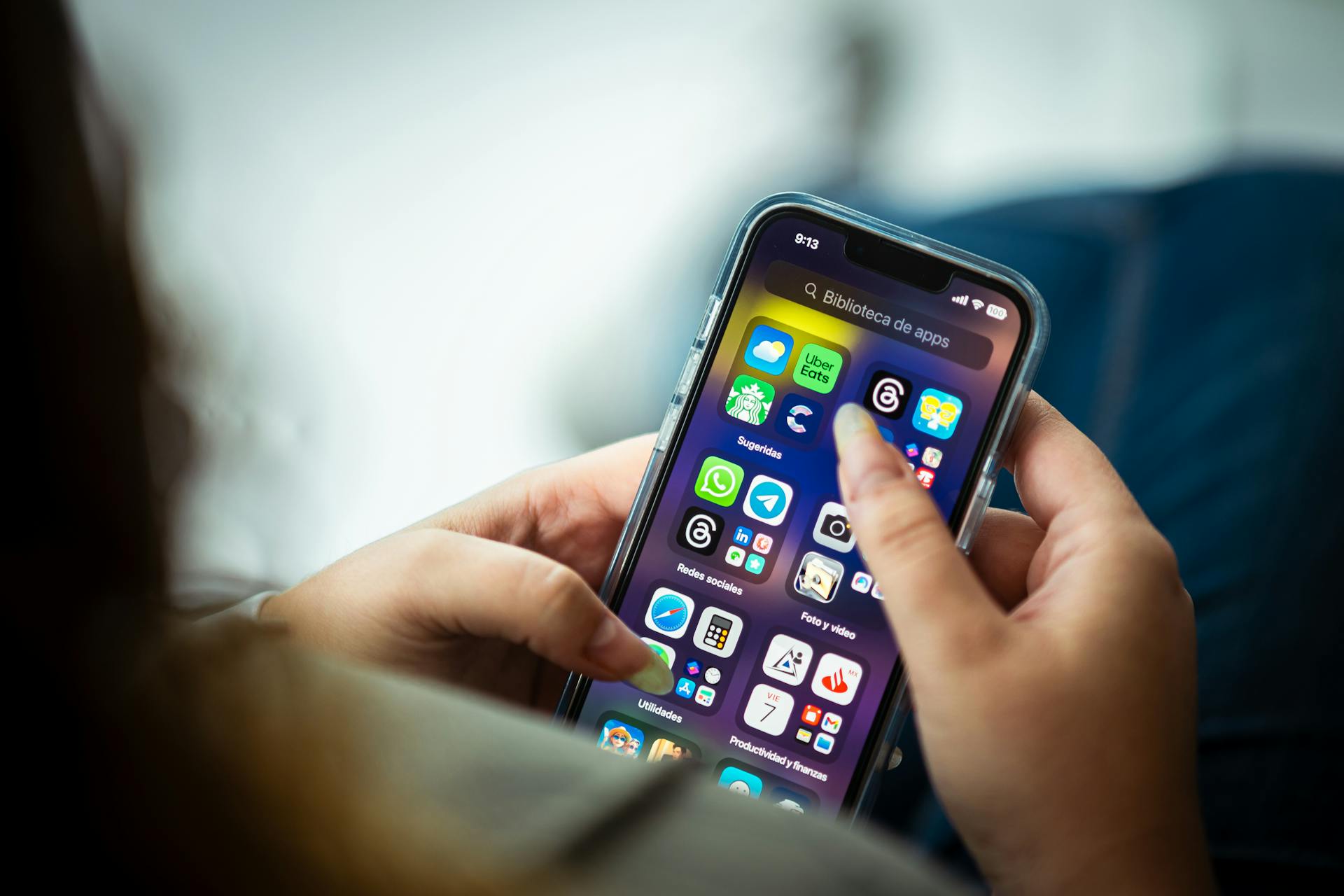
The best travel apps of 2027 are not the ones with the most downloads or the prettiest interfaces. They are the ones still working at 11pm when your connecting flight disappears from the departures board, when you cannot read the street signs, or when your card gets declined at a foreign ATM. I have been traveling for over a decade, tested hundreds of apps across 60+ countries, and the list I carry into every trip has been cut down ruthlessly to what actually performs under pressure.
This article is for travelers who are serious about using technology to reduce friction — not to curate Instagram content, but to spend less time confused and more time doing what they came to do. By the end, you will know exactly which must-have travel apps to install before your next trip, which categories matter most, and which overhyped options to skip. I will also give you a clear “download before every trip” power list so you never have to figure this out at the departure gate again.
Category 1: Flight Tracking — Know Before the Airline Tells You
Flighty (iOS, $30/year) and Google Flights (Free)
Flighty is the single best flight tracking app available in 2027. It pulls from live FAA and airline data and typically alerts you to a delay 15–25 minutes before the airline’s own app does. On a trip from Chicago to London last winter, Flighty flagged a gate change 18 minutes before any announcement — I was already at the new gate before the crowd formed. The annual fee is worth it if you fly more than four times a year.
Google Flights is where you search and monitor prices, not track live flights. Use its price calendar view to identify the cheapest travel windows — flying Tuesday or Wednesday can save 20–35% on many transatlantic routes. Set a price alert on a route and Google will email you when fares drop. The catch: it sometimes misses budget carrier pricing, so always cross-check with the airline directly before booking.
Category 2: Accommodation — Booking the Right Place at the Right Price
Booking.com, Hostelworld, and Hotel Tonight
Booking.com remains the most comprehensive accommodation app for international travelers in 2027. Its free cancellation filter is the feature I use on every single search — book refundable, then cancel if something better appears. The Genius loyalty tier kicks in after 10 bookings and delivers genuine discounts of 10–15%, not the inflated “was $200, now $190” nonsense you see elsewhere.
Hostelworld is the correct tool if you are staying in hostels or guesthouses, particularly in Southeast Asia, Eastern Europe, and Latin America. It shows verified reviews that skew toward budget travelers, which means the feedback is actually relevant to your situation. Do not use Booking.com for hostels — the review base is too mixed and the scores become meaningless.
Hotel Tonight earns its place specifically for same-day and next-day bookings. Hotels offload unsold rooms at 20–40% below standard rates. I have used this on 12 separate trips when plans changed and it has saved real money every time — but it requires flexibility on location and brand. Do not rely on it as your primary booking strategy in high-season destinations where rooms actually sell out.
Category 3: Navigation — Getting Where You Need to Go Without Data
Google Maps (Offline), Maps.me, and Waze
Google Maps offline is non-negotiable for any international traveler. Before you land, download the offline map for your destination city (Settings → Offline Maps → Select Your Own Map). A full city map runs 200–600MB and saves you from paying $15/day for international data just to navigate. The offline version includes walking directions, transit lines, and business listings — roughly 80% of the functionality you get online.
Maps.me is the backup that earns its place when Google Maps offline falls short. It uses OpenStreetMap data, which is often more detailed in rural areas, small towns, and developing regions. In rural Vietnam and rural Portugal, Maps.me showed unpaved tracks and hiking paths that Google Maps had blank. Download it before you leave — the app is free and the maps are free.
Waze is the correct choice if you are renting a car. It integrates real-time police, accident, and hazard reports from other drivers. In countries where speed cameras are not marked on road signs, Waze alerts matter. Do not use Waze for walking or transit — it is built exclusively for drivers and wastes battery in any other mode.
Category 4: Language — Communicating When You Do Not Speak the Language
Google Translate, DeepL, and Duolingo (Pre-Trip)
Google Translate’s camera mode is the feature most travelers underuse. Point your camera at a menu, sign, or form and the app overlays a live translation in real time. It works offline for 59 languages if you pre-download the language packs (each pack is 40–60MB). I used this to navigate a Turkish bureaucratic form and a Japanese train ticketing kiosk in the same month — it is not perfect, but it is functional.
DeepL produces higher-quality text translations than Google Translate for European languages, particularly German, French, Polish, and Dutch. If you are sending a formal email to a landlord or hotel, use DeepL. For casual conversation and camera translation, Google Translate is faster. Both are free at the level most travelers need.
Duolingo belongs in the pre-trip category, not the in-trip category. Fifteen minutes a day for three weeks before you travel gives you enough vocabulary to handle greetings, numbers, and basic requests — which meaningfully changes how locals respond to you. In France especially, attempting even broken French before switching to English gets you considerably better service. Do not open Duolingo at the airport expecting it to help you now.
Category 5: Money — Spending Abroad Without Getting Eaten Alive by Fees
Wise, Revolut, and Trail Wallet
Wise (formerly TransferWise) is the most reliable multi-currency account for international travelers in 2027. It converts money at the mid-market exchange rate with a transparent fee of 0.35–2%, depending on currency. Compare that to a standard bank’s 3–5% foreign transaction fee plus a poor exchange rate. I converted USD to Thai Baht through Wise and saved $47 on a $1,200 exchange compared to my home bank’s airport kiosk rate. Get the physical Wise debit card — it works at ATMs worldwide with low withdrawal fees.
Revolut competes directly with Wise and wins on one specific point: the free plan includes fee-free currency exchange up to £1,000/month at interbank rates with no markup. Beyond that limit, a 0.5% fee applies. For travelers spending less than that monthly threshold, Revolut is the better deal. The app also lets you hold 30+ currencies simultaneously, which is useful if you are moving between countries in a single trip.
Trail Wallet solves the budgeting problem that Wise and Revolut do not address. You set a daily budget, log each expense in seconds, and it shows you exactly how much you have left for the day. It does not sync with bank accounts — you enter spending manually, which sounds inconvenient but takes under 10 seconds per transaction and keeps you actively aware of your pace. Travelers who do not track daily spending routinely overspend by 25–40% on longer trips.
Category 6: Safety — Knowing What to Do When Something Goes Wrong
TravelSafe Pro, bSafe, and the State Department STEP Program
TravelSafe Pro ($2.99 one-time) gives you offline access to emergency numbers — police, ambulance, fire — for 200+ countries. This sounds redundant until you are in a country where 911 does not work and you cannot Google anything because you have no signal. Emergency numbers vary widely: Japan’s ambulance is 119, France’s is 15, Mexico’s is 911 but response time varies by region. Having this offline and available in 3 seconds matters when you need it.
bSafe is a personal safety app with a live GPS sharing feature and a panic button that alerts pre-set emergency contacts with your location. It is most useful for solo travelers, particularly solo women. The “Follow Me” feature lets a trusted person watch your route in real time. It requires your emergency contacts to also have the app installed, which is the main friction point — set it up before you leave, not after you arrive somewhere unfamiliar.
The State Department STEP program (Smart Traveler Enrollment Program) is not an app but a free registration system at step.state.gov. Register your trip and the US embassy in your destination country will contact you directly if there is a security incident, natural disaster, or civil unrest. It also makes it easier for the embassy to find you if you go missing. Non-US travelers should check their own government’s equivalent — the UK has FCDO travel alerts, Canada has the Registration of Canadians Abroad service.
Category 7: Food and Local Discovery — Eating Well Without Wasting Time
Google Maps Food Search, TripAdvisor, and Local Apps
Google Maps’ food search is the tool I use first in any new city. Search “restaurants near me,” filter by rating above 4.3 stars and “open now,” and sort by distance. The photos uploaded by real customers are more honest than any professional food photography. The key filter most people skip: sort by “most reviewed” rather than “highest rated” — a place with 2,400 reviews at 4.4 stars is a safer bet than a place with 11 reviews at 4.9 stars.
TripAdvisor is most useful in smaller cities and towns where Google Maps data is thin. Its traveler-specific review base means the feedback is calibrated to what foreign visitors actually care about: English menus, allergy information, payment methods accepted. In tourist-heavy destinations, however, TripAdvisor’s top results skew toward places optimized for tourist traffic rather than local quality. Cross-reference with Google Maps before committing.
Local food apps are worth researching before you leave. Zomato covers India and parts of Southeast Asia with a depth Google Maps cannot match. Yelp works well in the US, Canada, and Australia but is nearly useless in most of Europe and Asia. In Japan, Tabelog is the authoritative restaurant database — scores above 3.5 on Tabelog indicate genuinely excellent food by local standards, not tourist-friendly approximations.
Category 8: Local Transport — Getting Around Without Getting Overcharged
Grab, Bolt, and Local Metro Apps
Grab is the essential rideshare app for Southeast Asia — Thailand, Vietnam, Malaysia, Singapore, Indonesia, and the Philippines. It shows upfront pricing before you confirm, which eliminates the negotiation and potential overcharging that comes with street taxis in these markets. In Bangkok, I have consistently paid 40–60% less than metered taxi rates using Grab. The app also covers food delivery and payments, but the rideshare function is the core value.
Bolt operates across Europe and Africa and undercuts Uber’s pricing by 15–25% in most markets where both operate. It is available in 45+ countries including Estonia, Kenya, Nigeria, Portugal, and Romania. In cities like Lisbon or Nairobi where Uber is available, check both apps before booking — Bolt frequently offers better rates for the same journey. The driver quality is comparable in my experience across both platforms.
Local metro apps beat Google Maps for transit in cities with complex systems. Citymapper covers 100+ cities with real-time transit data, disruption alerts, and fare calculations. In London, Tokyo, or New York, Citymapper’s transit routing is more precise than Google Maps and it shows you which carriage to board for the fastest exit at your destination station — a detail that saves 3–5 minutes per transfer in busy systems.
Common Mistakes That Cost Travelers Real Time and Money
- Not downloading offline maps before you land. You arrive, you have no local SIM, the airport WiFi requires a local phone number to verify, and you cannot find your accommodation. Download Google Maps offline for every destination city before your departure flight. This takes 5 minutes at home and eliminates a genuinely miserable situation.
- Using a bank debit card for international ATM withdrawals. Standard bank cards charge 3% foreign transaction fees plus a flat $3–5 ATM fee plus the ATM operator’s own fee. On a $200 withdrawal, you can lose $15–20. A Wise or Revolut card reduces this to under $2 for the same transaction.
- Relying on a single navigation app. Google Maps goes wrong in rural areas, developing regions, and places where map data has not been updated recently. Having Maps.me as a backup adds zero cost and takes 2 minutes to set up. I have needed it more times than I expected.
- Installing translation apps at the airport instead of pre-downloading language packs. Airport WiFi is slow and unreliable. Download your destination language packs for Google Translate at home, where your internet connection is stable. Each pack is small but the download can stall or fail on public WiFi when you need it most.
- Using TripAdvisor as the only food reference in popular tourist cities. In cities like Rome, Paris, or Bali, the top TripAdvisor restaurants are frequently optimized for international visitors with higher prices and lower quality than what locals eat. Cross-reference with Google Maps and, where available, a local food app.
- Skipping the State Department STEP registration because it seems bureaucratic. Registration takes 8 minutes and costs nothing. It is the mechanism by which embassies contact you during emergencies. Travelers who are not registered are harder to locate and harder to assist. Register every international trip, no exceptions.
Money-Saving Angles: How the Right Apps Save You Hundreds Per Trip
The financial argument for the best travel apps of 2027 is concrete, not abstract. Here is where the savings actually come from:
- Currency conversion: Using Wise instead of airport currency exchange saves 4–6% on every conversion. On a $3,000 travel budget, that is $120–180 kept in your pocket.
- Accommodation flexibility: Booking refundable rates on Booking.com and checking Hotel Tonight for same-day deals when plans shift has saved me an average of $35–60 per booking on trips where my schedule was not fixed.
- Rideshare transparency: Grab and Bolt show fixed upfront pricing. In markets where street taxis operate without meters or with rigged meters, this difference is not trivial — I have been quoted taxi fares 3x the Grab price for the same route in tourist-heavy areas of Southeast Asia.
- Flight price alerts: Google Flights price alerts have flagged fare drops I was not actively monitoring. Setting an alert takes 30 seconds. On one transatlantic route, a price drop alert saved me $180 on a fare I had not yet booked.
- Budget tracking: Trail Wallet’s daily budget system costs $3.99 one-time. Travelers who actively track daily spending consistently spend less than those who do not. The behavioral effect of seeing your remaining daily budget in real time is worth more than the app’s cost on any trip longer than five days.
Pro Tips for Experienced Travelers Who Already Know the Basics
- Set Flighty to notify your travel companions, not just yourself. Add a contact’s email in Flighty’s share settings so the person picking you up gets the same real-time delay alerts you do. This eliminates the “where are you, the flight was delayed” phone call that happens when only one person has live flight data.
- Use Google Maps’ “Your Timeline” feature to reconstruct expenses. If you forget to log something in Trail Wallet, Google Timeline shows your location history with timestamps, which lets you identify where you were and what you likely spent. Enable location history before you leave and it works as a passive travel diary.
- Pre-load Grab and Bolt with payment before you arrive. Adding a card to Grab or Bolt requires working internet and sometimes SMS verification. Do this on home WiFi, not in the back of a taxi trying to get from the airport when you are exhausted. Both apps let you add payment methods before you need them.
- Download Citymapper’s offline maps for metro systems in advance. Like Google Maps, Citymapper allows offline downloads for specific cities. In subway systems with no underground signal — London Underground, NYC Subway — offline access means you can check which platform to use without surfacing to get a connection.
The “Download Before Every Trip” Power List
These are the 10 apps that go on every device before every international trip, regardless of destination. No exceptions.
- Flighty — real-time flight tracking with early delay alerts
- Google Maps — offline maps downloaded for every destination city
- Maps.me — backup navigation for rural areas and regions with thin Google data
- Google Translate — camera translation with offline language packs pre-downloaded
- Wise — multi-currency spending with mid-market exchange rates
- Revolut — backup card and fee-free exchange under monthly limit
- Trail Wallet — daily budget tracking to prevent overspending
- Booking.com — accommodation with free cancellation filter active
- Grab or Bolt — depending on destination region, with payment pre-loaded
- TravelSafe Pro — offline emergency numbers for every country
Quick Reference Checklist
- Download Google Maps offline for every destination city before departure
- Pre-download language packs in Google Translate on home WiFi
- Set up Wise or Revolut account and order the physical card at least 7 days before travel
- Register your trip with STEP (step.state.gov) or your country’s equivalent
- Install Grab (Southeast Asia) or Bolt (Europe/Africa) and add payment method before arriving
- Set Google Flights price alerts for any routes not yet booked
- Configure Flighty with your flight details and share tracking with your pickup contact
- Set a daily budget in Trail Wallet based on your total trip budget divided by days
- Install Citymapper for any city with a complex metro system (London, Tokyo, NYC, Paris)
- Check if your destination has a local food app (Zomato, Tabelog, etc.) and install it before you leave
FAQs
What are the best travel apps to use in 2027?
Some of the best travel apps to use in 2027 include Google Maps for navigation, Skyscanner for comparing flight prices, Booking.com for hotel reservations, TripIt for organizing travel itineraries, Google Translate for language translation, and Uber for transportation. The ideal app depends on your travel needs, destination, and budget.
Which travel apps are best for finding cheap flights and hotels?
Skyscanner, Google Flights, and Kayak are useful for comparing flight prices and identifying affordable travel options. For hotel bookings, Booking.com, Agoda, and Hotels.com offer a wide range of accommodation choices. Comparing prices across multiple platforms can help travellers find deals that suit their budgets.
Are there free travel apps available for international travellers in 2027?
Yes, several travel apps offer free features that are useful for international travellers. Google Maps provides navigation, Google Translate supports communication in different languages, and TripIt helps organize travel plans. Other apps, such as Rome2Rio and XE Currency, offer helpful tools for finding transportation routes and converting currencies. However, some apps may require subscriptions or charge fees for premium features.
What travel apps should I download before going on an international trip?
Before travelling internationally, consider downloading Google Maps for navigation, Google Translate for communication, Skyscanner for flight comparisons, Booking.com for accommodation, and an offline currency converter for managing expenses. It is also advisable to download offline maps, save important booking confirmations, and check whether your chosen apps work in your destination country. These preparations can make your journey more convenient and help you avoid common travel challenges.